
Arcanum and Fallout 2 with a Touchscreen and Stylus on Windows 8
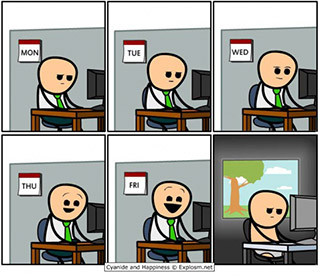 Somehow I ended up with a Windows 8 tablet. Not a very successful model — bulky as a companion device, a bit weak as a workstation, but it did have a stylus, and, most importantly, a 32-bit Win32 system. Having a fair number of old games from GOG and Steam sales, I’d been planning to sit down with this tablet at some point and replay everything I could. But somehow I never had the time or the mood, and test runs showed that you really need a mouse to play — the cursor from the touchscreen would wander off who knows where, and a long-press right click was frankly awkward. The tablet gathered dust in a corner for half a year until a recent Fallout giveaway from GOG pushed me into action. Friday evening was starting, the tablet got a USB mouse, and I settled comfortably on the couch and started from the top of the list — with Arcanum.
After half an hour of character creation (and that’s a very important and serious business!) my left hand was struggling to hold the device, and my right wrist was starting to ache suspiciously, hinting at carpal tunnel syndrome and other joys of an awkward grip. Cursing the developers of some ergonomic folding mouse with a
No patches turned up. The only similar driver was paid and had no trial mode. That’s when the idiotic idea occurred to me (I understand that now!) — “surely some WM_TOUCH comes in there and gets converted incorrectly into WM_MOUSEMOVE”… Jumping ahead, Arcanum is now fully controllable from the touchscreen, though the weekend is over and I’d rather sleep than play.
Visual Studio 6.0
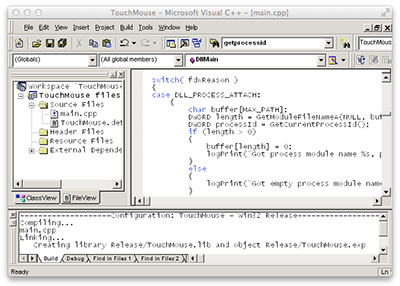 It so happened that I was into hooks, patches, and injects on Win32 a dozen years ago, and then very happily closed that chapter of my life. And now, dreaming of “code for half an hour, then go play,” I pulled out an old hard drive, copied a couple of projects off it along with my favorite tool — VS98, also known as Visual Studio 6.0. Yes, I use VS 2012 all the time for W8 and WP mobile apps, but I confess I have no idea what the Platform SDK looks like in it these days, or whether it’s now fashionable/mandatory to do low-level stuff in C# or C++/CLI. And it turned out that VS98, at a mere 120 megabytes, also runs perfectly under wine on my work machine.
Cleaning up old projects from horrors like IAT patching took a while, but within a couple of hours I was injecting my module into the game and could track its message stream (subclassing via SetWindowLong and so on). Spy++, for understandable reasons, didn’t want to work with a fullscreen game, so I wrote logs and then studied everything that looked like mouse or touch. That’s where Friday evening ended, and I put off the rest until morning.
WM_TOUCH
In the morning I skimmed a couple of articles on working with the touchscreen and sat down to catch WM_TOUCH. A great message, arrives regularly, though it packs a dozen or two taps into a single block. What was interesting was that the coordinates arriving in the game were correct — they matched exactly where you touched the screen. That seemed unimportant, so I started generating WM_MOUSEMOVE on every event. The result was surprising — nothing changed. Absolutely nothing. I replaced WM_MOUSEMOVE with SetCursorPos and did see a result — the cursor drifting became noticeably less chaotic. It seemed like the matter was settled — I just needed to figure out what was going wrong and why the cursor kept shifting sideways… Only once it got dark outside did I realize something had gone very wrong 🙂 All the logical and not-so-logical methods, formulas, coordinate corrections, sorcery with mouse_event, SendInput, cancelling one event or another — in not a single case could I get the cursor to move to the tap location. It seemed like nonsense or witchcraft, but somewhere inside the game there was its own pair of coordinates, changing in some way I didn’t understand and not directly controllable.
DirectInput and everything, everything, everything
On Sunday I woke up demotivated but still hopeful. Today I wanted to try repeating everything that comes from a real mouse, but with touchscreen data. I plugged in a rodent and started tracking its actions, and that’s when it turned out that mouse actions don’t go through my window procedure at all. Calling myself a fool who doesn’t know how games actually work, I dug into Google and found what had been throwing me off: games often get mouse information either through DirectInput or in raw form, bypassing the Window Message Queue entirely. Touchscreen and stylus events are exactly the exception — they go through the message queue and somewhere deep inside DefWindowProc get turned into mouse actions. Accordingly, WM_MOUSEMOVE and friends might simply be absent altogether (and that’s exactly what happens for the mouse), and any attempt to send, spoof, etc. them has no effect on the game whatsoever. Literally two-thirds of my experiments were simply ignored by the game, and the rest conflicted with DefWindowProc. What’s more, WM_TOUCH is only sent for compatibility with Windows 7 programs, while the primary touch events in Windows 8 are already considered to be WM_POINTER*.
Coincidence or providence?
At this stage I already knew what I needed and could see the light at the end of the tunnel — I wouldn’t let DefWindowProc handle touchscreen events at all and would do everything myself. The emotional high did its job, and at some point the touchscreen unexpectedly started putting the cursor exactly at the tap location. That was strange, since the interception module wasn’t even ready yet. A binary search of the relevant piece (disable half the program and watch the behavior, then either revert or disable half of what remains) showed that I was simultaneously calling
RegisterTouchWindow(hWnd, TWF_WANTPALM)and
SetProp(hWnd, "MicrosoftTabletPenServiceProperty", (HANDLE)1);
* Despite the idiotic look and meaning of that last call, it’s perfectly correct and documented, if only for Tablet PC 2003.
Calling these two methods results in WM_TOUCH giving us only one set of coordinates at a time, while the internals of DefWindowProc generate relatively correct coordinates. The thing is that normally WM_TOUCH isn’t sent right on touch, but accumulates data for the “press and hold” feature. Notably, colleagues have already run into a similar situation:
At the end of four days of futility, I gave up and did two things. First, I posted a message on the MSDN forums asking «what the fuck», although I did not actually use the word «fuck» in the post because I thought it might trigger an automatic rejection.
(…)
Thankfully, a few days later, to my surprise, someone actually answered my forum post. In it, they referred me to a technical article written in 2003 that showed how to do exactly what I wanted: instead of messing with the TabletPC API at all, you just set a secret global text atom on your window, and poof! TabletPC disables press and hold for your window.
(…)
So somehow, in all their COMness, with multiple libraries and hundreds of GUIDs and pages and pages of class documentation, the TabletPC SDK had failed to include a define for, or even a mention of the existence of, this special atom. Or what «press and hold» was (since it would have been really helpful to know that term for searching before I started — I might have been able to find the secret technical article that way).
That still wasn’t a complete solution, but still a huge step forward! In fact, it was in this mode that Fallout 2 became playable, though it still occasionally loses sync between virtual and real coordinates — the cursor drifts sideways. This is fixed right inside the game by dragging the cursor to a spot where it can no longer move.
Full implementation
After that it was all just a matter of technique — once DefWindowProc stopped interfering and WM_TOUCH/WM_POINTER stopped merging together, I started processing them myself and sending events via mouse_event; cursor behavior became genuinely predictable. The one thing I couldn’t manage to solve is simultaneous mouse and touchscreen use. The mouse doesn’t generate any WM_ messages at all, so we can’t know its exact coordinates, and GetCursorPos only gives back whatever we wrote there ourselves. After intercepting touchscreen events, GetCursorPos values stopped changing altogether, even though the cursor was moving via both mouse and touch. For Arcanum, the right mouse button is also critical, so I mapped it to a two-finger tap. To open the menu and save, you need ESC, which ended up on a three-or-more-finger gesture. At that point I decided to call it a day, cleaned up the code, pushed it to github, and… instead of playing, sat down to write a post for Habr 😉
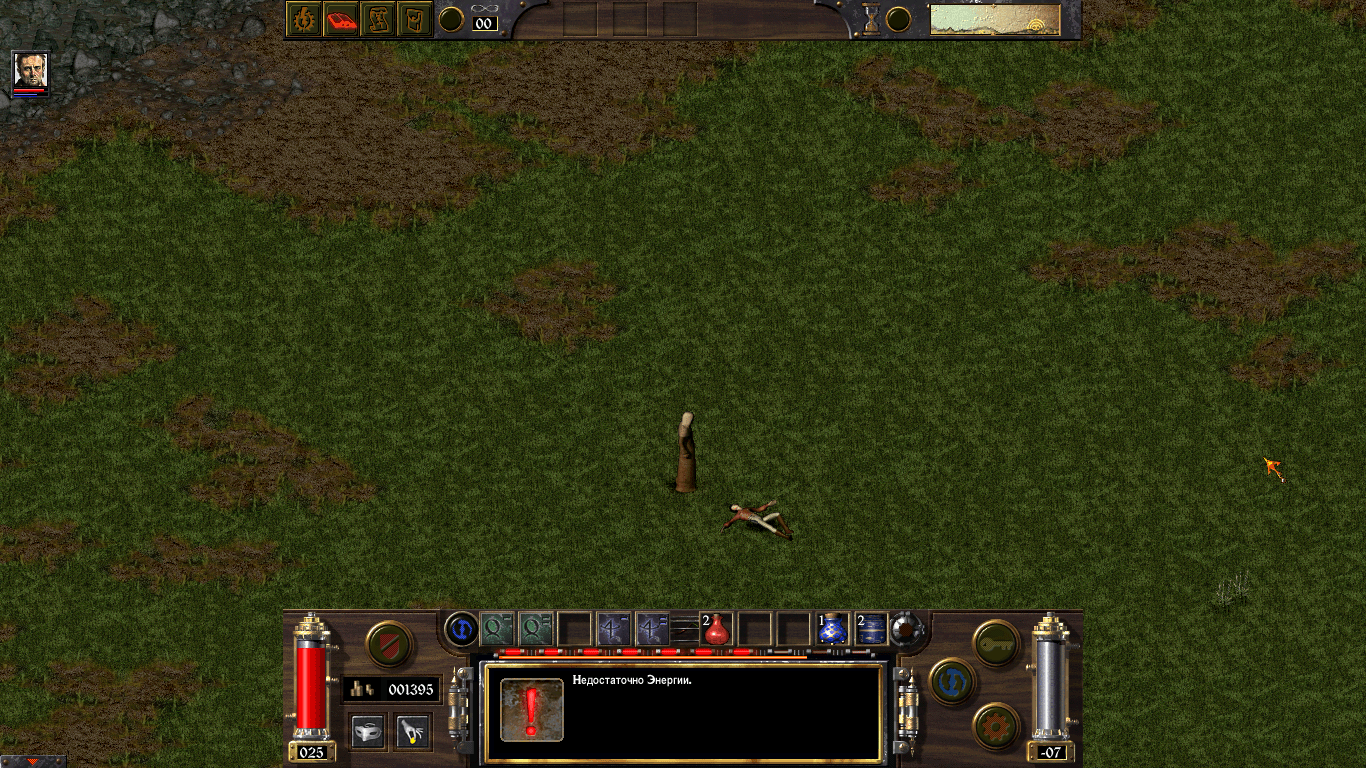 A spell was selected with the touchscreen, cast, and then a right “click” was used to exit casting mode |
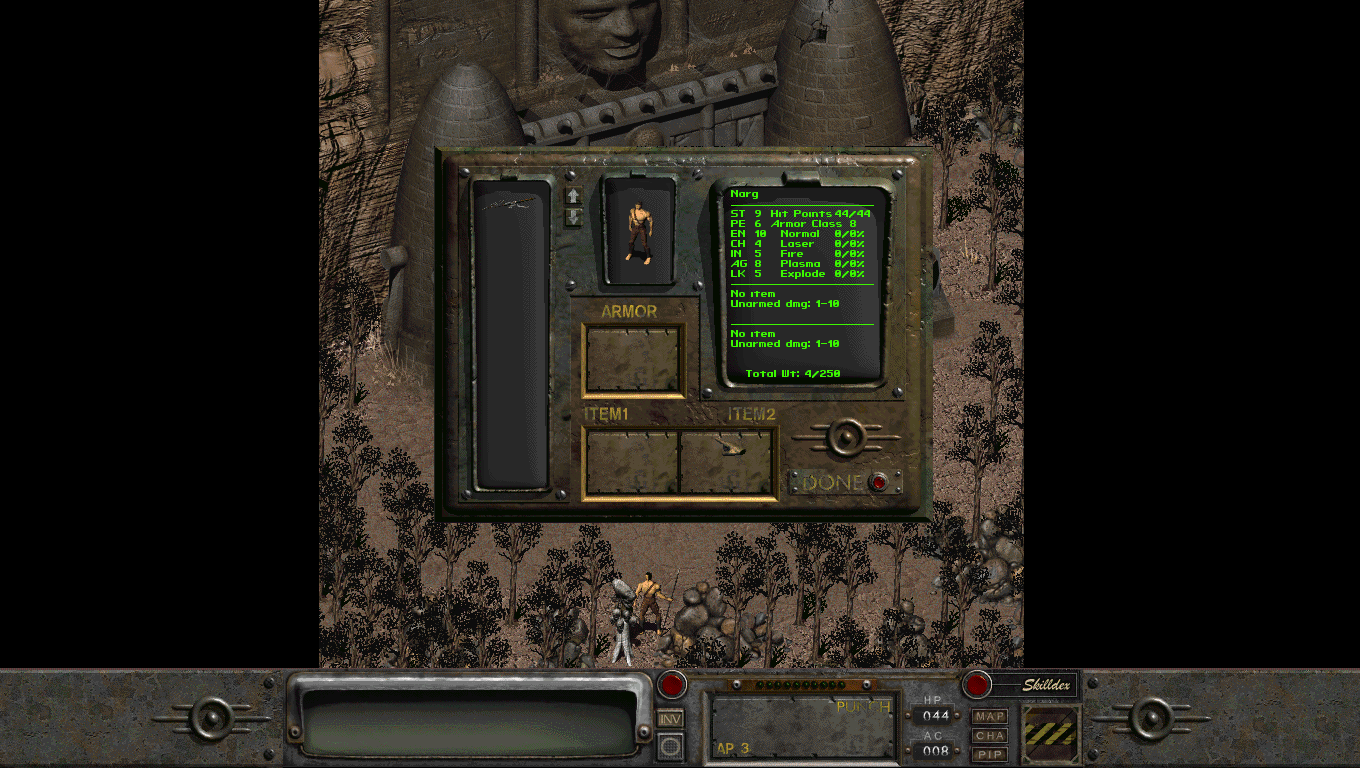 Intro videos skipped with a tap, character created, and inventory opened, all with the touchscreen (impossible on the “clean” version) |
Bugs and rough edges
- I’ve already mentioned this a couple of times, but I’ll repeat it: if you move the mouse, the cursor will get thrown off, you have to play using only touch. You can drag the cursor into a corner of the screen and then pull it back out with touch, which restores coordinate sync
- In Fallout 2, intercepting WindowProc crashes the game after some time. I’ll sort that out in future versions; for now you can play without it — the project has two entry points, one with WM message interception and one without. Unfortunately, the in-game buttons are rather small and awkward to tap with a finger; the stylus works better.
- The hook on new window creation runs for a few seconds while the game is launching. If some other program starts during that window, the DLL will get loaded into its address space. As a result, it can’t be deleted until a reboot. Not critical — the DLL can just be renamed. During debugging I accumulated a good hundred and fifty renamed copies of it.
Windows 8 is rich inlousytrendy gestures, some of which get in the way of playing. They can be turned off programmatically, but that requires compiling in something newer than VS 6.0. For now you can disable these gestures in the registry:[HKEY_LOCAL_MACHINE\SOFTWARE\Microsoft\Windows\CurrentVersion\ImmersiveShell\EdgeUI] "DisabledEdges"=dword:0000000f— implemented
- The code was written by a bearded dinosaur in a 1998 IDE. Well, sorry about that, folks. It can still crash too, you know that, right?
- The DLL turned out a bit large (48kb), but antivirus software might still flag it anyway — there are injects, global hooks, and general interference with the system, after all!
Support
Anyone wishing to express their gratitude doesn’t need to bother and can just say “thanks.” You can even say it out loud in front of your monitor, no need to write it down. Anyone wishing to call me a necrophiliac or something along those lines, I’d suggest also saying it out loud a few times rather than adding to the entropy of the world’s internet. The project could also use testing on more old games, fixes for the Fallout issues, an upgrade to a newer IDE, bug fixes, a wiki page, and so on. I’m not against patches for specific games either. Fork it, do it, we’ll merge it later.
UPD: During lunch break I updated the project to VS 2012, added auto-disabling of Windows 8 charms, and support for the stylus button. I also tried working with the ASI Loader, but it didn’t quite work out. Also caught a strange crash on startup and made a hacky fix for it.
UPD 2: As it turned out, the library was misbehaving if a non-default mouse speed was set or “Enhanced pointer precision” was enabled. I don’t yet see a full solution to this problem, so the DLL turns these settings off on startup as incompatible with touch control. If anyone’s curious, “Enhanced precision” is somebody’s dumb joke that doubles the mouse displacement on any axis if its value is greater than 6 pixels, and quadruples it if greater than 10. That is, moving the mouse 7 pixels left and 12 up, with this mode on we’d get a displacement of 14 pixels left and 48 up. I don’t see any increased precision in that, and the 6 and 10 thresholds have apparently been baked into the system for a decade already and can’t be changed by the user.
Originally published on Habr, 2013-12-15.