
OpenGL ES 1.1 on Windows 8 and Windows Phone 8.1
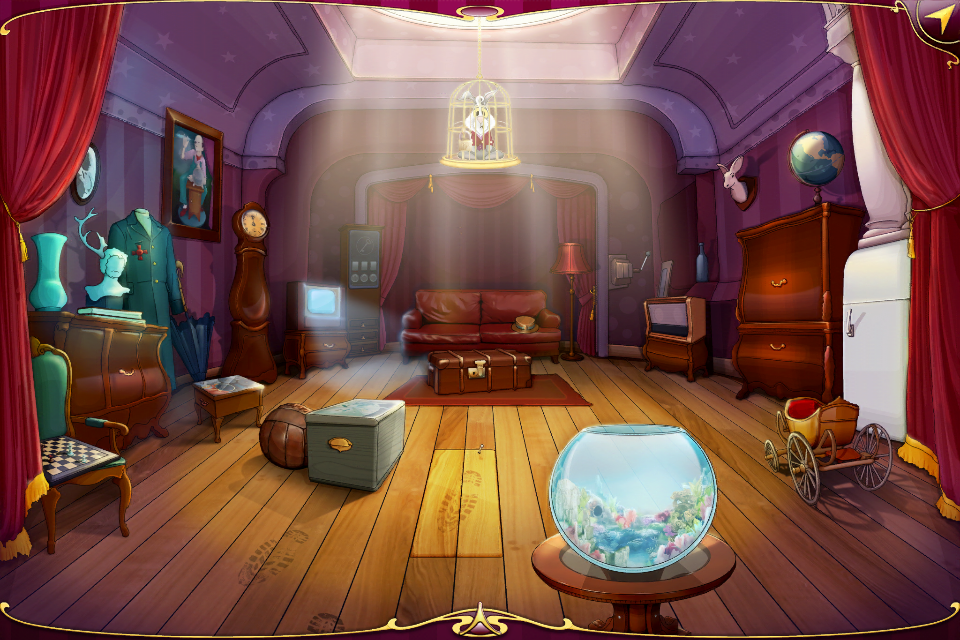 Back in 1998 I was trying to make my own game with OpenGL. Development barely made it to alpha and was abandoned, but what stuck with me was how convenient it was to build interfaces under GL — an orthographic projection, a couple of transforms, binding a few vertices with GL_TRIANGLE_STRIP, and you already have a button. And now, sixteen years later, working in mobile game development, I ran into the exact same approach in OpenGL ES 1.*, except now you can draw 2D textures without rotation using glDrawTexfOES.
I maintained several projects built on this principle, and gradually a devious plan took shape in my head: make a cross-platform 2D game that runs on mobile with OpenGL ES and C#, and on desktop with regular OpenGL. I didn’t get there on the first try, and there was plenty of trouble along the way, but as a result my latest project now runs, without any changes to the business logic, on iOS, Android, BlackBerry, Windows XP/7, Mac OS X, Linux, ReactOS, Windows 8, and Windows Phone 8.1. There’s enough material for several articles, but this time I’ll talk specifically about Windows Runtime support.
OpenTK
 You can argue for ages about whether OpenGL is really convenient for 2D, argue yourself hoarse insisting that a proper game needs shaders and multi-pass rendering, and along the way find plenty of confirmation that the outdated OpenGL ES 1.1 is often implemented at the emulation level through shaders anyway. I’ll leave that to the Don Quixotes and theorists. What mattered to me was that this is the simplest way to write 2D rendering code once and run it on different platforms, without dragging in monstrous engines like Unity, MonoGame, and the rest.
On iOS and Android under Xamarin everything went smoothly — working with GL is done through the OpenTK library with the OpenGL.Graphics.GL11 namespace, and the constants and methods are identical on both platforms. On desktop I decided to use OpenTK.Graphics.OpenGL, i.e. plain desktop OpenGL with a C# wrapper. There’s no glDrawTexfOES there in principle, but it’s no trouble to write a replacement for it and draw two triangles via GL_TRIANGLE_STRIP/GL_TRIANGLES and glDrawElements — compared to mobile, there’s performance to spare and VBOs aren’t even needed here.
Example wrapper with GL_TRIANGLES
        private static readonly int[] s_textureCropOesTiv = new int[4];
        private static readonly short[] s_indexValues = new short[] { 0, 1, 2, 1, 2, 3 };
        private static readonly float[] s_vertexValues = new float[] { -0.5f, 0.5f, 0.5f, 0.5f, -0.5f, -0.5f, 0.5f, -0.5f };

        public void glDrawTexfOES(float x, float y, float z, float w, float h)
        {
            glPushMatrix();
            glLoadIdentity();

            glTranslatef(w / 2.0f + x, h / 2.0f + y, 0.0f);

            glScalef(w, -h, 1.0f);

            int[] tiv = s_textureCropOesTiv; // NOTE: clip rectangle, should be set before call

            int[] texW = new int[1];
            glGetTexLevelParameteriv(GL_TEXTURE_2D, 0, GL_TEXTURE_WIDTH, texW);
            int[] texH = new int[1];
            glGetTexLevelParameteriv(GL_TEXTURE_2D, 0, GL_TEXTURE_HEIGHT, texH);

            float[] texCoordValues = new float[8];

            float left = 1.0f - (tiv[0] + tiv[2]) / (float)texW[0];
            float bottom = 1.0f - tiv[1] / (float)texH[0];
            float right = 1.0f - tiv[0] / (float)texW[0];
            float top = 1.0f - (tiv[1] + tiv[3]) / (float)texH[0];

            texCoordValues[0] = right;
            texCoordValues[2] = left;
            texCoordValues[4] = right;
            texCoordValues[6] = left;

            texCoordValues[1] = bottom;
            texCoordValues[3] = bottom;
            texCoordValues[5] = top;
            texCoordValues[7] = top;

            glEnableClientState(GL_VERTEX_ARRAY);
            glEnableClientState(GL_TEXTURE_COORD_ARRAY);
            glVertexPointer(2, GL_FLOAT, 0, s_vertexValues);
            glTexCoordPointer(2, GL_FLOAT, 0, texCoordValues);
            glDrawElements(GL_TRIANGLES, 6, GL_UNSIGNED_SHORT, s_indexValues);

            glPopMatrix();
        }
Keep in mind you shouldn’t just copy-paste this code for yourself — it won’t work anywhere that lacks the GL_TEXTURE_WIDTH/GL_TEXTURE_HEIGHT constants. Also, the s_textureCropOesTiv variable needs to be filled in before the call, and the code itself doesn’t flip the viewport along the Y axis.
XAML
A certain amount of magic was needed to get the project running on current versions of Mono, .Net 2.0-4.5, Wine, and even under ReactOS, but overall, aside from the zoo of texture handling, there weren’t many issues here. The real problems started with Windows 8 and Windows Phone, where OpenGL doesn’t exist at all. At first I tried to solve this with minimal bloodshed, literally writing my own version of glDrawTexfOES that would internally call something specific to these systems. During experimentation I used the XAML Canvas element, drawing a Rectangle inside it whose Brush used the necessary transform to display only part of the texture.
Transform code in XAML
                TransformGroup group = new TransformGroup();

                ScaleTransform scale = new ScaleTransform();
                scale.ScaleX = (double)texture.PixelWidth / (double)clipRect.Width;
                scale.ScaleY = (double)texture.PixelHeight / (double)clipRect.Height;
                group.Children.Add(scale);

                TranslateTransform translate = new TranslateTransform();
                translate.X = -scale.ScaleX * (double)clipRect.X / (double)texture.PixelWidth;
                translate.Y = -scale.ScaleY * (double)clipRect.Y / (double)texture.PixelHeight;
                group.Children.Add(translate);

                imageBrush.RelativeTransform = group;
clipRect is the rectangle with the crop parameters, analogous to s_textureCropOesTiv from the example above
texture is the BitmapSource holding the actual texture
This approach seems strange, but it’s worth remembering that XAML is often hardware-accelerated and fairly fast. I used this approach to port several mobile OpenGL ES games to Windows 8, and they run acceptably, except there’s no way to change texture color the way you can with glColor in GL. That is, XAML in principle lets you change an element’s opacity, but there’s no way to change its color tint. For example, if you use white fonts and then recolor them at runtime, with this approach they simply stay white.
Overall, the XAML approach is fairly dubious and didn’t quite match the original plan, and without color differentiation of trousers modulation, so once the game was 80% done and already running on mobile and on desktop .Net/Mono, I started looking for a more acceptable option for Windows 8. There was a lot of buzz and excitement around the port of the Angle library, but at that point it was still very raw and had no C# support. Working with DirectX directly from C# also turned out to be impossible, and Microsoft itself offers the developer a few “simple” paths: rewrite all your C# code in C++, use the third-party SharpDX library (a C# binding over DirectX), or switch to MonoGame. The MonoGame library is the successor to XNA, using that same SharpDX to output graphics on Windows 8; it’s quite decent, but rather specific, and switching to it in my project was already too late. SharpDX looked no less monstrous, since it drags in the entire existing feature set of DirectX, though it was fairly close to what I actually needed. I had already started having serious conversations with it involving a soldering iron and the manual, when I stumbled on the gl2dx project.
GL2DX
This library was published by user average on CodePlex a few years ago and hasn’t been updated since. It’s a C++ library that declares the same functions as OpenGL, translating them internally into D3D11 calls. The library came with a C++/CX sample that created a XAML page with a SwapChainBackgroundPanel and initialized it via D3D11CreateDevice for the C++ side to work with. The project would have been great if it had gotten even a little past the prototype stage. Technically, only a few percent of the OpenGL methods actually work in it, and the rest are just asserts. On the other hand, it does handle 2D texture output, transforms, and simple geometry. At this point I took the library and brought it to a product-quality state that plugs into a C# project as a Visual Studio Extension and lets you write code like this:
Code
 GL.Enable(All.ColorMaterial);
            GL.Enable(All.Texture2D);
            GL.Color4(1.0f, 1.0f, 1.0f, 1.0f);

            GL.TexParameter(All.Texture2D, All.TextureCropRectOes, new int[] { 0, 0, 1024, 1024 });
            GL.BindTexture(All.Texture2D, m_textureId1);
            GL.DrawTex(0, - (m_width - m_height) / 2, 0, m_width, m_width);

            for (int i = 0; i < 10; i++)
            {
                if (i % 2 == 0)
                {
                    GL.BindTexture(All.Texture2D, m_textureId2);
                    GL.TexParameter(All.Texture2D, All.TextureCropRectOes, new int[] { 0, 0, 256, 256 });
                }
                else
                {
                    GL.BindTexture(All.Texture2D, m_textureId2);
                    GL.TexParameter(All.Texture2D, All.TextureCropRectOes, new int[] { 256, 0, 256, 256 });
                }

                int aqPadding = 20;
                int fishSize = 128;
                int aqWidth = (int)m_width - aqPadding * 2 - fishSize;

                float x = (Environment.TickCount / (i + 10)) % aqWidth;
                float alpha = 1.0f;
                if (x < fishSize)
                    alpha = x / fishSize;
                else
                    if (x > aqWidth - fishSize)
                        alpha = (aqWidth - x - fishSize) / 128.0f;

                GL.Color4(1.0f, 1.0f, 1.0f, alpha);
                GL.DrawTex(x + aqPadding, m_height / 20 * (i + 5), 0, fishSize, fishSize);
            }
P.S. The code is in OpenTK-style calls, which trips up people used to writing glColor4f instead of GL.Color4.
I gave this little creation the proud name MetroGL.
MetroGL
 The C++/CX sample turned into a library in that same
 bird modern language, grew a large number of extra functions, and the C++ side gained implementations of many OpenGL methods, blending, optimization of the internal VertexBuilder, loading of arbitrary images and DDS textures, and, most importantly, an exact emulation of glDrawTexfOES that produces a pixel-perfect match with OpenGL ES output, while also merging consecutive operations on the same texture into a single DrawCall. Some things had to be filed down by hand, the code itself is a bit messy in places (both before me and after), and building the VSIX extension requires rebuilding the project manually for each architecture (x86, x64, ARM) before you can even build the VSIX project itself. The main thing is that if you have OpenGL ES 1.* code with a 2D interface or simple 3D, you can use it straight from C# with this library, without thinking about the internals, the C++ code, D3D11 contexts, or other unpleasantnessdelights. I also made an example with fish on the right, code available under the cut. Of course, if your code is on OpenGL 2.0+ with shaders and extensions, there’s no talk of porting it at all.
Another unpleasant point is that I have neither the mood nor the desire to bring the library up to 50-100% OpenGL compatibility, which means you’ll have to tailor it to your specific needs yourself. Fortunately, all the code is up on github, I’m not going anywhere for now, and I’d be glad to see commits or anyone willing to take on this burden. The library builds for Windows 8.0 and Windows Phone 8.1; the VSIX part may require a non-Express edition of Visual Studio.
Epilogue
And finally, a bit about the games themselves. I finished my project 100%, and it was precisely the combination of C# and OpenGL that made it possible to keep the high-level code completely unchanged — it’s a library without a single #define, with no system calls of any kind. Next comes the mid-level code: drawing through OpenGL in 2D, with rotation, transforms, and color modulation, where the code differs slightly between platforms — different textures, different ways of storing data. The low-level part is different for every platform — window creation, context initialization, audio output. Either way, the nine platforms listed at the start of this article genuinely work, and while C# paired with OpenGL still can’t be used on the web or on Firefox OS, isn’t this still a glimpse of a cross-platform future, ladies and gentlemen?

Originally published on Habr, 2014-12-27.