
The Thorny Road to the Windows Store
 Like many programmers, I was wary of Windows 8 (and still am), but I couldn’t resist trying to write a couple of apps for the Windows Store. After all, it’s a fashionable trend: .Net 4.5, C# 5, XAML.
Right around that time, on December 4th, I came across an article about a Microsoft W8 app contest. Publishing some experimental toy felt a bit unserious (even though the market is literally overflowing with that kind of thing), so I decided to port a fairly large project from MonoTouch and iOS instead. Grab some popcorn, because besides the programming details there will be comedy, drama, and a real-life ending.
A Whole Different C#
Code for MonoTouch/MonoDroid is written in C#, but it’s normal, “canonical” C# with System.Drawing, System.Xml, System.IO, and so on. I expected the same under Windows 8, plus a bonus bridge and lawyers, but reality turned out to be harsh: those namespaces simply don’t exist there. No more PointF, XmlNode is crossed off the list, you can’t do File.ReadAllText(), there’s no FileStream or anything compatible with it. Even with images, there’s only one thing you can do — load them, and even that only asynchronously, meaning you can’t find out the pixel size right after loading without jumping through hoops.
In fact, pretty much every I/O operation touching the outside world became asynchronous, with the async and await keywords, which after a few hours of work already had me having fits of uncontrollable rage. To be fair, it’s a decent innovation and an interesting approach, but where stable, battle-tested code used to just read a 500-byte text file (level order in the game, a script, etc.), now that implies a noticeable rewrite, plus the entire call chain has to be marked async. The other option is to write a wrapper that mimics the old syntax, inside of which neon an unkosher synchronous call to an asynchronous method happens (hi to future support engineers!).
In general, I’m a proponent of freezing code: business logic gets written once, debugged, and then never touched again, and changes only affect the user-facing interaction layer. So, after getting over a wave of disgust, I sat down to build my own reinvented wheelswrappers.
In about half a day I put together my own implementations of PointF, RectangleF, XmlDocument, System.IO.File, and so on, matching the syntax of .Net 2.0-4.0 but using Windows Store realities under the hood. For working with resources I still had to give in to hacks for “de-asyncing the async stuff”:
public static string ReadAllText(string path)
{
        IAsyncOperation<StorageFile> file =
                  StorageFile.GetFileFromApplicationUriAsync(new Uri("ms-appx:///" + path));
        file.AsTask<StorageFile>().Wait();

        IAsyncOperation<string> result = FileIO.ReadTextAsync(file.GetResults());
        result.AsTask<string>().Wait();

        return result.GetResults();
}
Things got trickier with XmlDocument and XmlElement: those classes exist in a “lightweight” form in the Windows.Data.Xml.Dom namespace, but now they don’t inherit from XmlNode — instead they implement the IXmlNode interface, with a few syntax changes. My wrapper isn’t very pretty and doesn’t support XPath or a lot of other features, but it worked great for the simplest tasks. If anyone needs it as a starting point, here’s the code: paste2.org/p/2664348
Graphics
 On iOS/Android our games render sprites through OpenGL ES 1.1 — no shaders, no transforms, no VBOs, just glDrawTexiOES calls. On Windows, obviously, there’s no trace of GL, so I was counting on XNA and SpriteBatch, but… it wasn’t there. In the Windows Store world there’s no pure XNA at all, only its cross-platform implementation, MonoGame! That’s a fairly interesting product in its own right, but I wanted to get by with what the platform itself offered, and I also had an eye on a possible Silverlight port down the road. The WPF/XAML solution looks a bit homegrown, but it works almost as intended: for each sprite I create a Rectangle of the right size on a Canvas and assign it an ImageBrush that references the needed texture, pulling out just the relevant part of it via transforms. Technically, WPF uses DirectX for rendering, so this approach is perfectly viable and delivers decent performance.
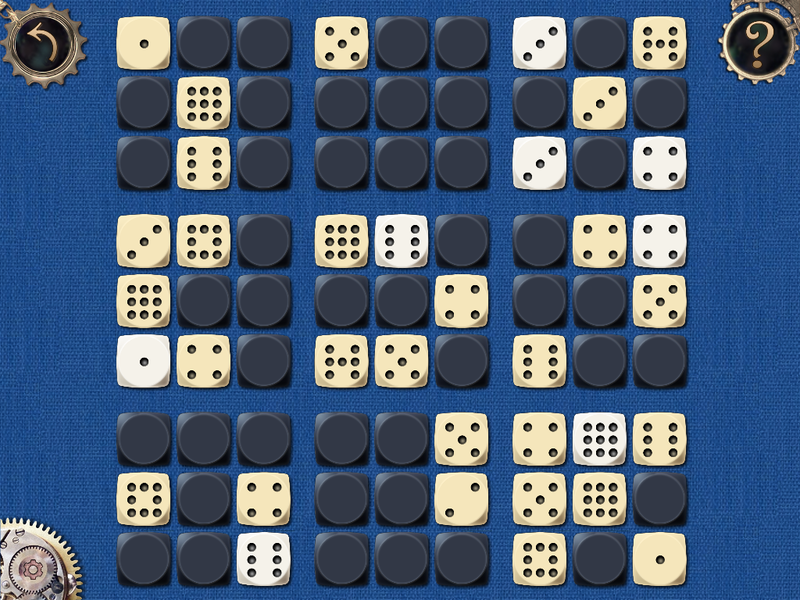
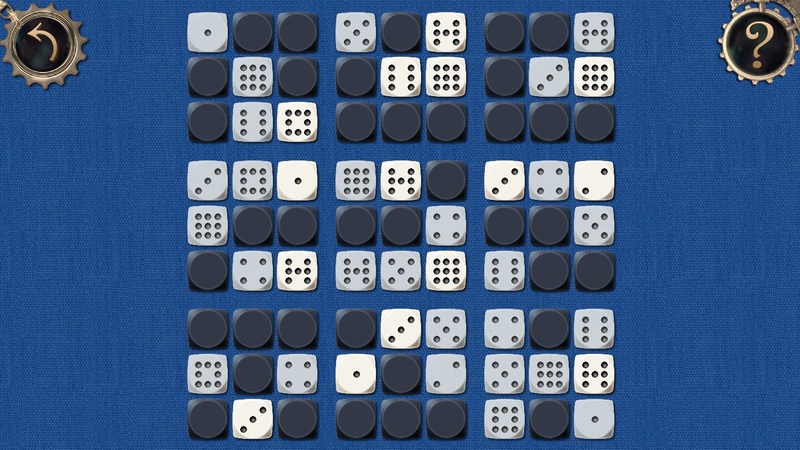
There was exactly one catch, and I found it when the port was almost finished: there’s simply no way to change a sprite’s color. For example, in the color puzzle we tinted different parts red and blue via glColor4f(1.0f,0.0f,0.0f,1.0f). For all the supposed richness of choice, I couldn’t find an alternative (short of rewriting everything in MonoGame), so I had to work with three separate textures instead. The same problem showed up in the dice puzzle, but there I could get away with transparency — locked dice are now “gray” (on the right) instead of “yellow” like on the other platforms (on the left).
 |
 |
Another notable difference between Windows Store games and mobile/tablet games is that they can end up on huge screens at huge resolutions. For instance, graphics designed for the iPhone 3GS don’t look great on a 27″ monitor at 2560×1440. Fortunately, I already had a decent amount of hi-res content prepared for the iPad 3, and some levels and controls were overdue for a redraw anyway. I’m not an artist, so this ended up taking almost more time than the porting itself.
Publishing to the Store
So, early in the morning of December 6th, the app was ready to be submitted for certification. There wasn’t much time left before the contest deadline on December 10th, but I was hoping for the best. Windows Store screenshots are supposed to be taken in the simulator at a resolution of at least 1366×768, in png format, which, in the best Microsoft tradition, is bloated beyond reason. The resulting size is fine for flat, uniform graphics, but not for photos or paintings: the screenshot shown above featuring Dali’s work came out to 2.9 megabytes. That’s not a problem for today’s internet, but the app submission form won’t accept files bigger than 2 MB. It doesn’t take JPEG either, so I first ran the screenshot through optipng, which didn’t change it visually but shaved off a megabyte.
Rejection
On Saturday morning, December 8th, I got a certification rejection. The reason was mind-boggling: “one or more screenshots were modified in third-party software.” After mentally cursing myself for carelessness, and the developers and testers for every sin they had and hadn’t committed, I removed the screenshot and resubmitted the app.
I’ll add separately that I reported the idiocysituation with the screenshots to support, to the official forum, and to people I know at the company, but never got a coherent answer. Yesterday a colleague from Belarus reached out to me, and his situation is even worse: his app shows gorgeous photos of scenic spots around the world, and literally every single screenshot comes out over 2 MB. Apparently every such screenshot needs a caption along the lines of “modified in Photoshop to reduce file size.”
Testing
Testers at the iTunes Store/Samsung Store/Amazon AppStore usually just check the basics: no obvious bugs, no time bombs, no nudity, no keyloggers. Windows Store certification hadn’t been any different for my other products and normally took a day, two at most. But this time, as far as I could tell, the testers decided to play through the whole game — otherwise I have no idea what else could have kept them busy for 11 (!!) calendar days. Or maybe they just couldn’t get past the first puzzle.
Support replied that technically only 7 business days had passed, so it wasn’t that bad, and I just needed to hang in there a bit longer. Having resigned myself to being politely called a doormat, I got in touch with the contest organizers and learned that the submission deadline had been pushed from December 10th to December 28th. That was reassuring, even though it was already clear my chances of making the contest were slim.
On the night of December 17th to 18th I got a notification that the app had passed certification and would appear in the store in 4 hours.
Losses
A few days later the app still hadn’t shown up in the store. Right around then, pretty much all of Microsoft was heading off for a week-long holiday (or planning to spend New Year’s Eve with family), so I raised the alarm and got in touch with support right away. A young woman with the lovely name Brandi (or possibly a boy poorly named) informed me that, to their great regret, all of my screenshots had been irrevocably lost during certification! This was on December 20th, one day before the expected holiday and the accompanying festivities. To avoid dragging things out, I immediately offered three options: mail the screenshots over, cancel the app’s certification, or use the screenshots from the free version of the same game, which had already been submitted for review. The decision, apparently, wasn’t a simple one, because on December 23rd I got a reply saying I should probably just send the screenshots by mail…
Said and done — I attached the set of screenshots, wrote descriptions in both languages, sent it off, and within 15 minutes got a reply:
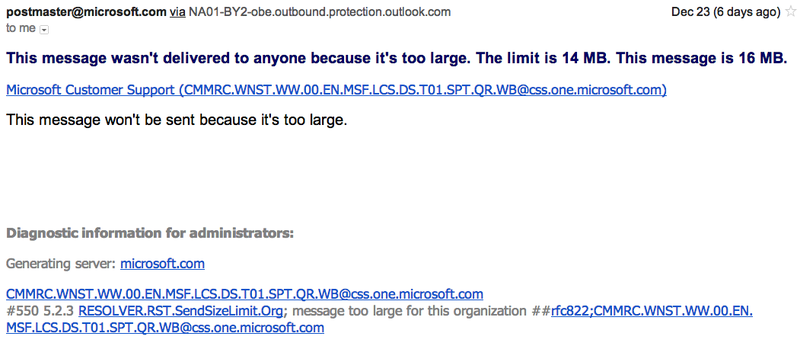 |
At the end of 2012, after the Mayan calendar had run out, in an age when the Higgs boson had just been found, a curious rover was sending photos from Mars in near real time, phones were shooting 41-megapixel photos, and companies were buying petabyte-scale data storage, it turned out the email attachment limit at MS was 14 megabytes…
I put together a new email, dropped some of the screenshots, and… got a reply from a different bot:
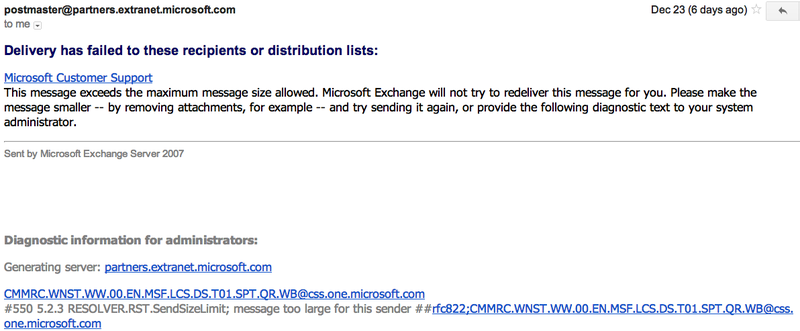 |
At that point I lost my patience, uploaded all the files to my own hosting, and sent over the links. The next reply came 6 days later, on December 29th, by which point the contest was already a moot point.  It said the screenshots had uploaded fine, but the app still hadn’t gone live because the logs showed there was also some promo image (the picture on the right) — essentially a decorated tile-banner for the store, in case editors wanted to feature the app on the front page. Well, that promo image had been lost too, and they wanted my advice on how to proceed — release without it, or should I send an updated one.
I really wanted to write back something unprintable, but I replied in one sentence that we’d do without the promo image.
The Contest
Meanwhile, the contest had its preliminary award ceremony for the “8 best New Year’s apps.” The winners were “Salads” and the psychedelic game Lighthouse, both somewhat removed from the New Year theme and from common sense.
My product is now listed among the entrants too, because I managed to submit the free version of the same app for certification and it got certified in a single day. It’s identical to the paid version except for a banner that links to buying the paid one — which, in this case, leads nowhere 🙂
Unfortunately, the grand prize — a Windows 8 tablet — doesn’t come close to the promotion and 4 million banner impressions that Salads will get, so the point of entering starts to feel a bit lost. The finals are coming up soon, and there will also be an award for “Most published apps by a single participant.” Some people took that category as a call to action and started churning out apps that add or subtract two numbers. Let me plug a couple of these masterpieces:
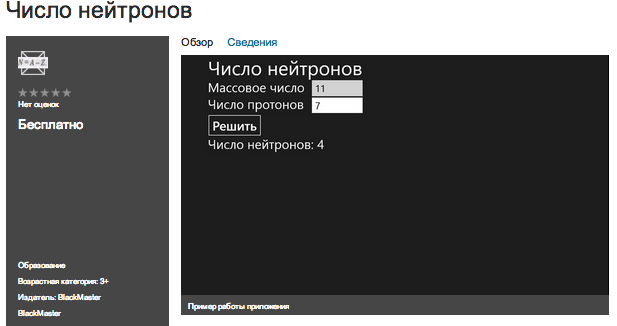 |
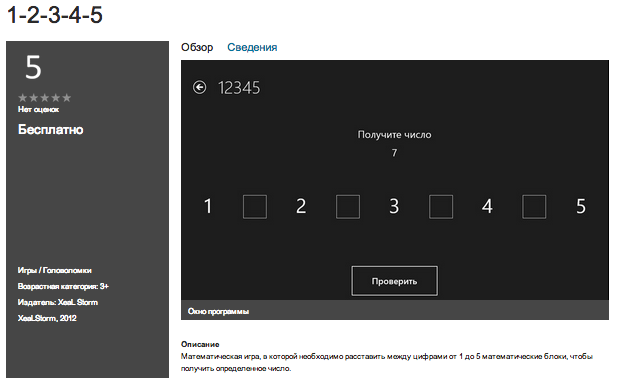 |
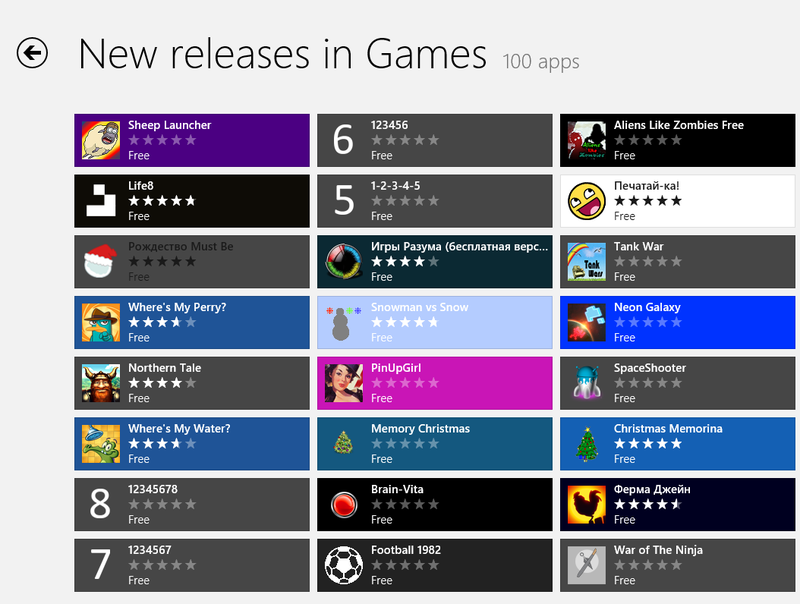 |
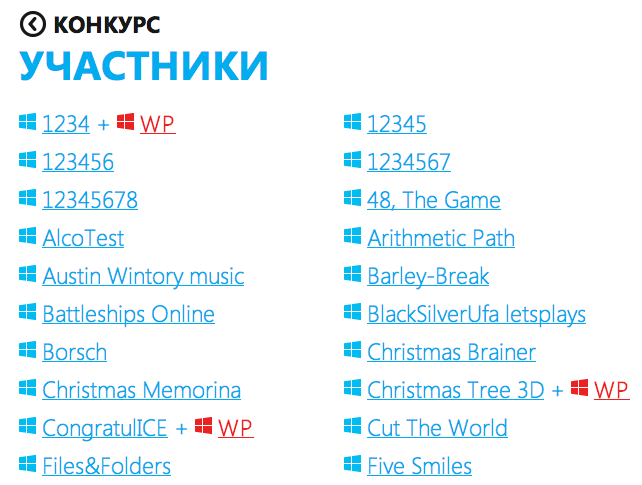 |
I won’t judge the authors of these apps, or the MS staff who let them into the store, but I do hope contest organizers get more satisfaction announcing a win and promoting something on the level of Cut The Rope than something like 12345 or Salads.
I’ll wrap up the story here, though the real ending is still ahead: the world didn’t end, but the app still hasn’t made it into the store, the contest still isn’t over, and the technical problems with the Windows Store remain unsolved.
Originally published on Habr, 2012-12-29.